

How to delete your Ninja Notes account
You can permanently delete your Ninja Notes account and all associated data at any time. Follow the steps below to complete the deletion from any device with a web browser.
Sign in on the web
Open https://app.ninjanotes.ai/settings/profile in your browser and log in with the same account you use in the Ninja Notes mobile app. If you are not already signed in, you will be redirected to the login page first; after signing in, you will land on the Settings page automatically.
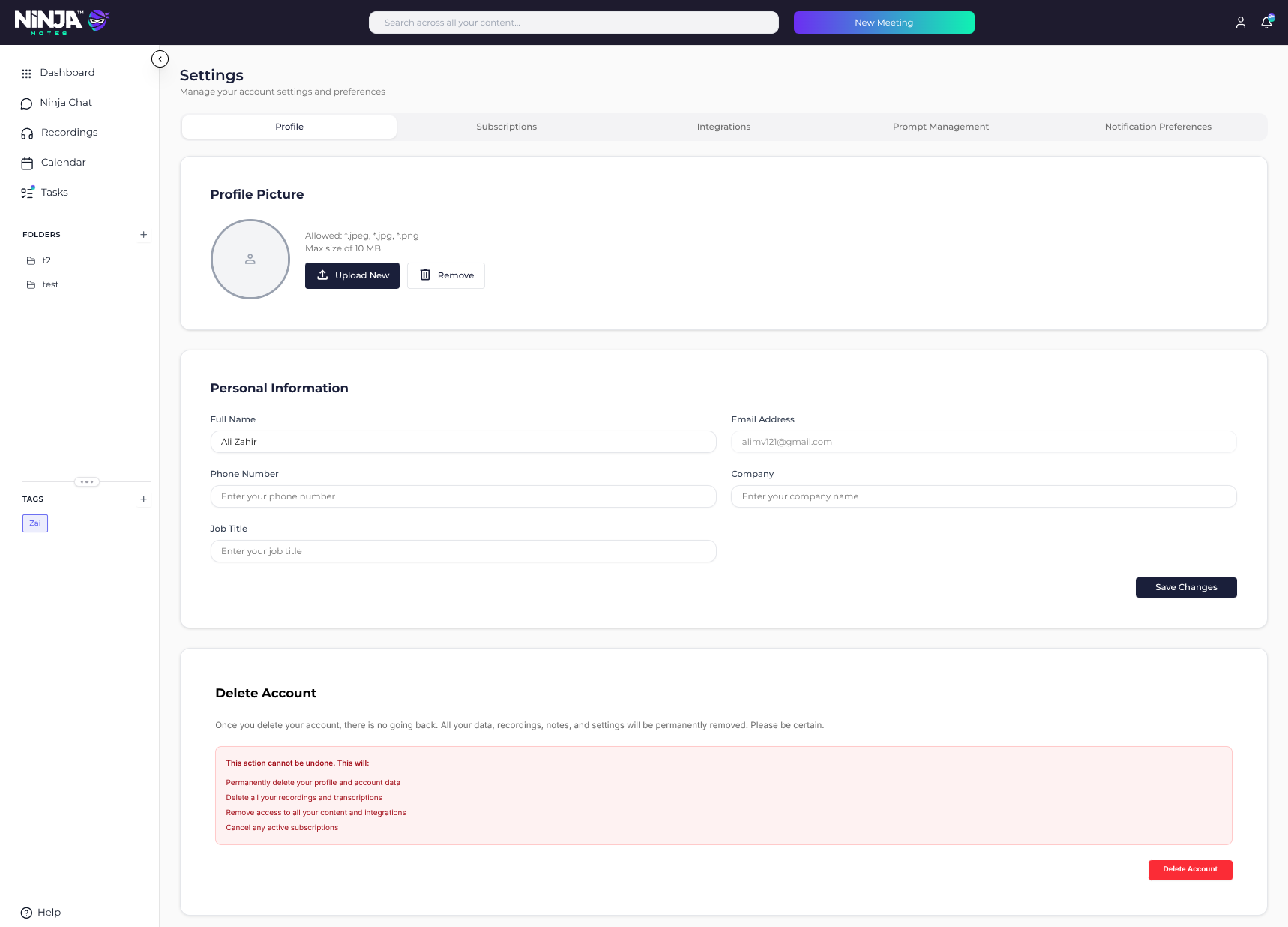
Scroll to the Delete Account section
On the Profile tab, scroll to the bottom of the page until you see the Delete Account section. This section explains exactly what will be removed before you confirm.
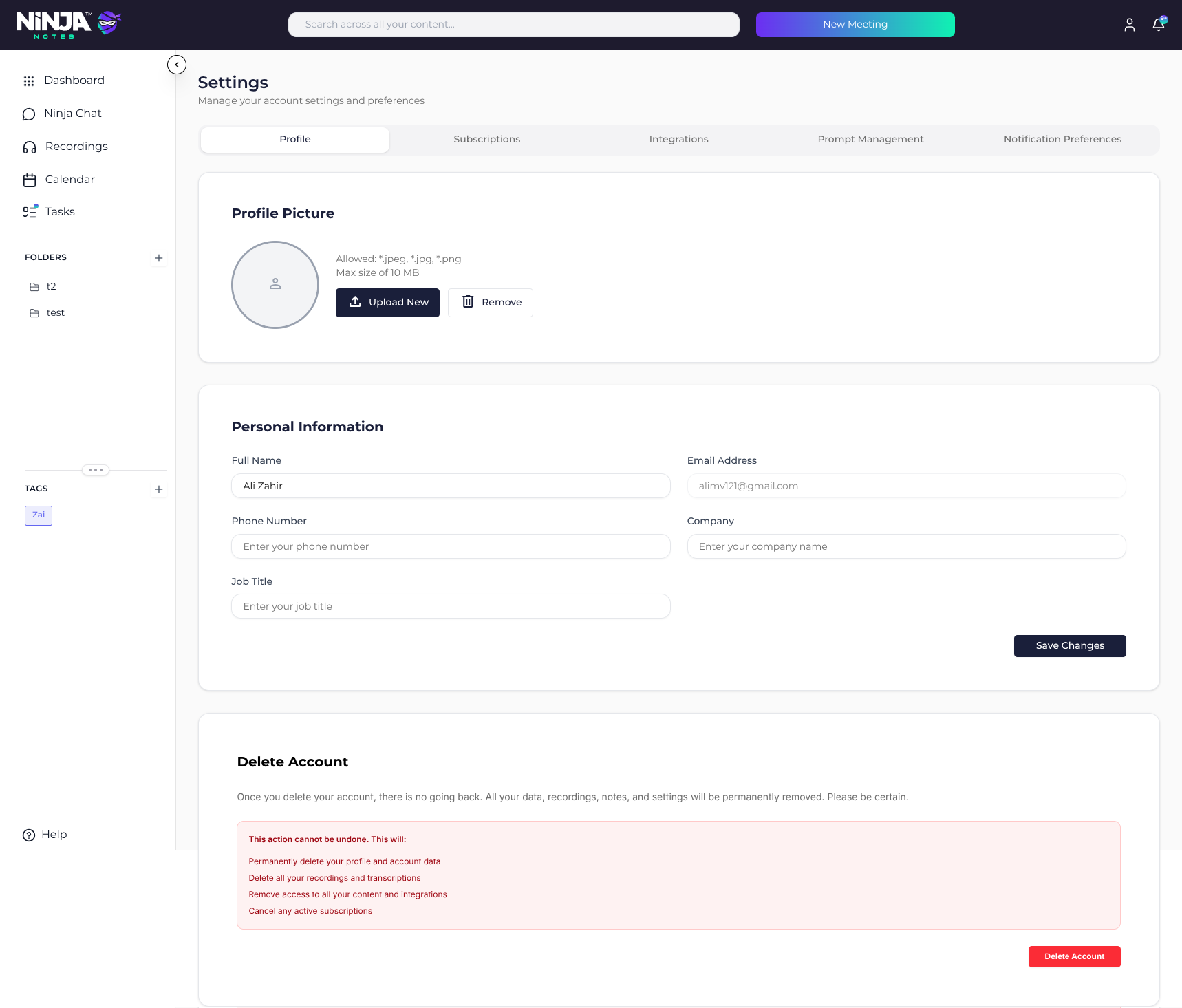
Click "Delete Account" and confirm
Click the red Delete Account button and confirm the action in the dialog that appears. Your account will be queued for permanent deletion immediately after you confirm.
What gets deleted
Once your account is deleted, the following data is permanently removed:
- Your profile and account credentials
- All recordings, transcripts, summaries, and notes
- Tags, folders, and chat history
- Connected calendar and integration data
- Any active subscriptions are cancelled
What we retain
We may retain a limited set of records that we are legally required to keep, for example billing/invoice records required by tax law and security or fraud-prevention logs. These records are kept only as long as required by applicable law and are not used to re-identify you.
This action cannot be undone
Account deletion is permanent. Once your account has been deleted, recordings, transcripts, and notes cannot be recovered, even by our support team.
Need help deleting your account?
If you cannot sign in, or if you would like us to delete your account on your behalf, email us and include the email address associated with your Ninja Notes account.
support@ninjanotes.ai